"I want to fit a Kaedear anti-vibration phone holder to my bike, but I'm worried whether it will hold my smallish phone securely..."
"If I adjust the four corner arms, will it hold a compact phone without rattling?"
When you use your precious smartphone as a sat nav while protecting it from the bike's vibration, how securely the phone is held matters a lot.
As I introduced in earlier posts, the Kaedear Quick Hold II KDR-M11CPJ that I fitted to my Honda X-ADV is a holder whose strengths are its vibration absorption (the Air Absorber) and ease of use.
- Earlier post: KDR-M11CPJ review: fitting, vibration damping, and what bothered me
- Earlier post: How to fit the KDR-M11CPJ to the X-ADV's tapered handlebar
In fact, the KDR-M11CPJ has a mechanism that lets you fine-tune the position of the four corner arms to suit the size of your phone.
So this time I adjusted the arms to their narrowest width to suit my small phone (an iPhone 13 mini), and give you my honest review, including an unexpected pitfall I found when I actually fitted the phone.
To give you the conclusion first: the holder's adjustment only changes the width. So if you fit a small phone like the iPhone 13 mini without a case, it has play up and down, which increases the risk of camera damage from vibration.
If you use a small phone, or are thinking of buying the KDR-M11CPJ, please read to the end.
[If you want to see the product straight away]
One-handed, one-push fitting and Air dampers that work in all directions, at an affordable price.
The four-arm adjustment on the Kaedear KDR-M11CPJ
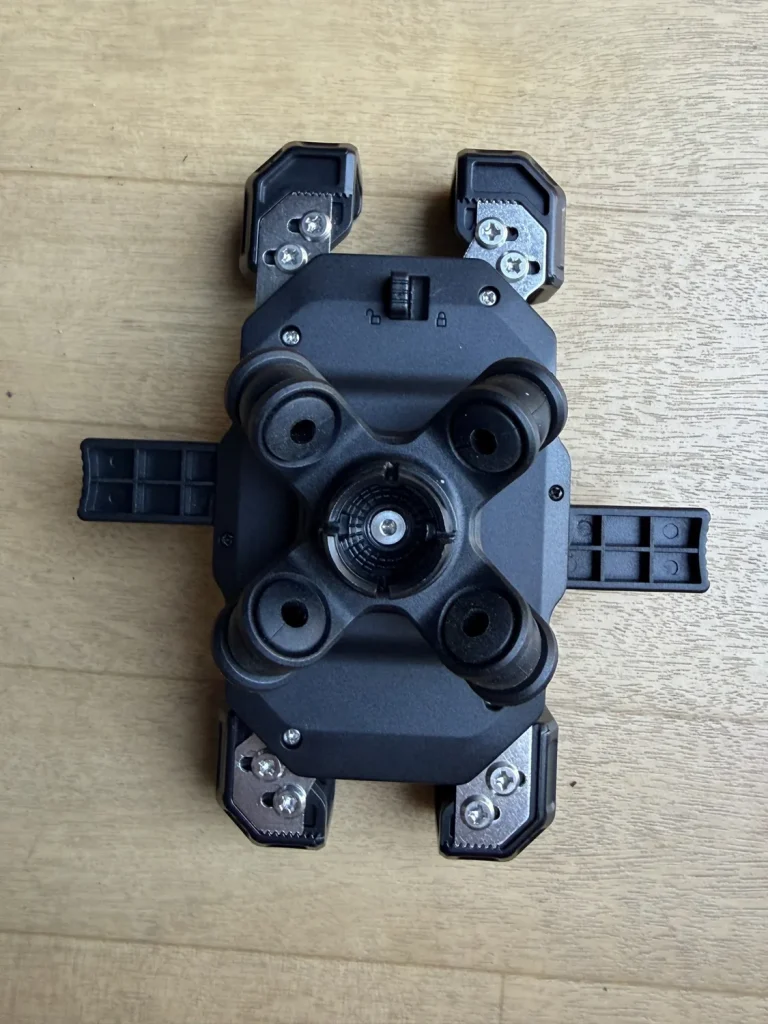
If you look at the back of the Kaedear KDR-M11CPJ, you can see that each of the four corner arms is held by two bolts.
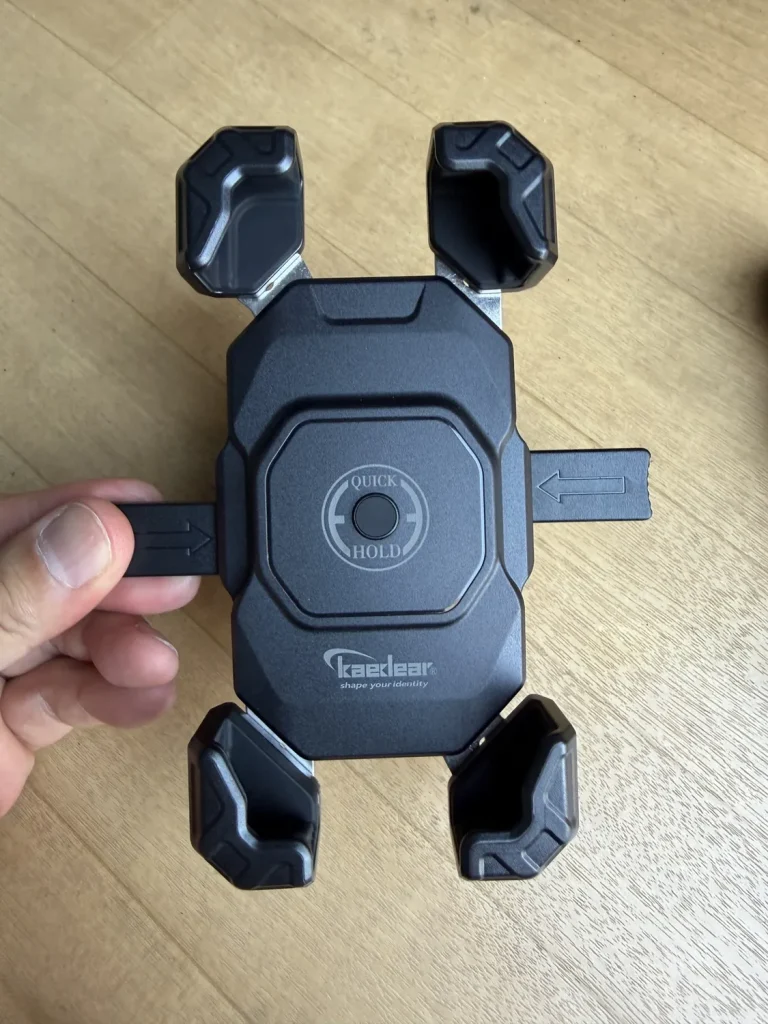
As supplied, the arms are set wide so that the holder can take fairly large phones.
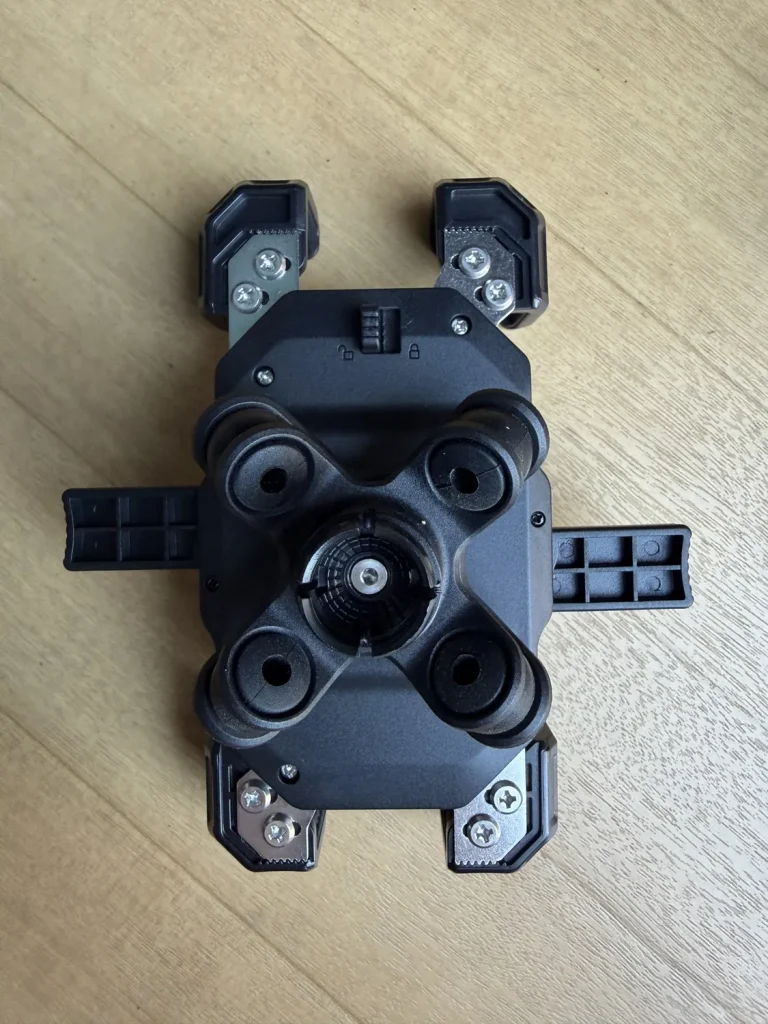
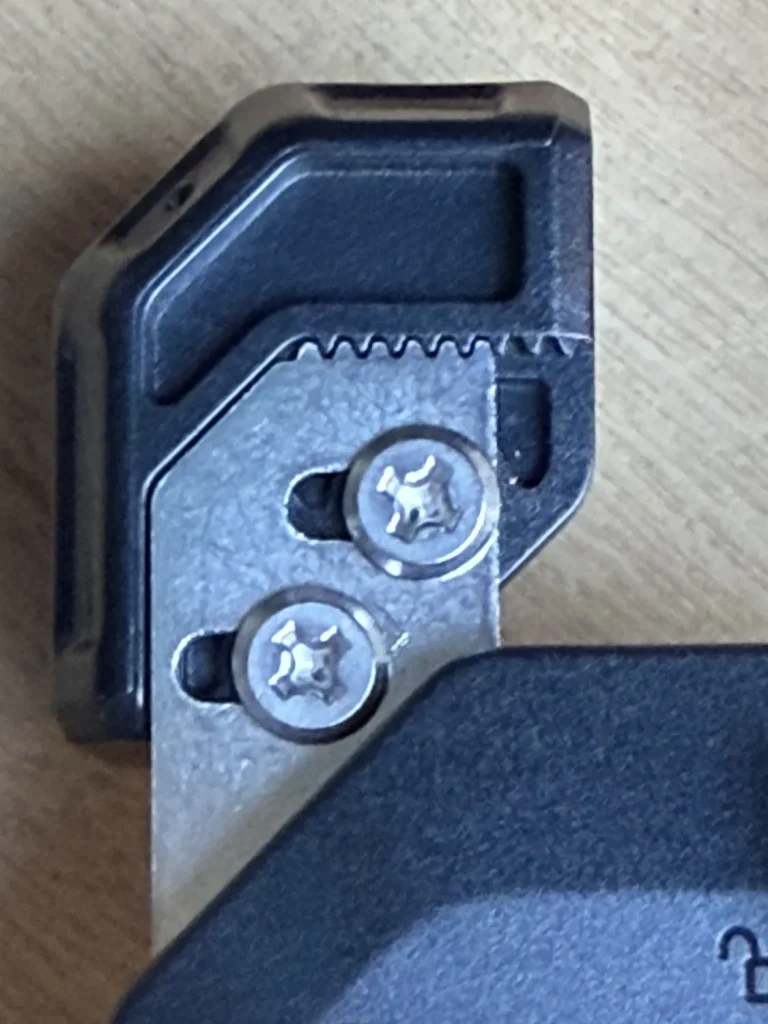
Let's look at the back close up.
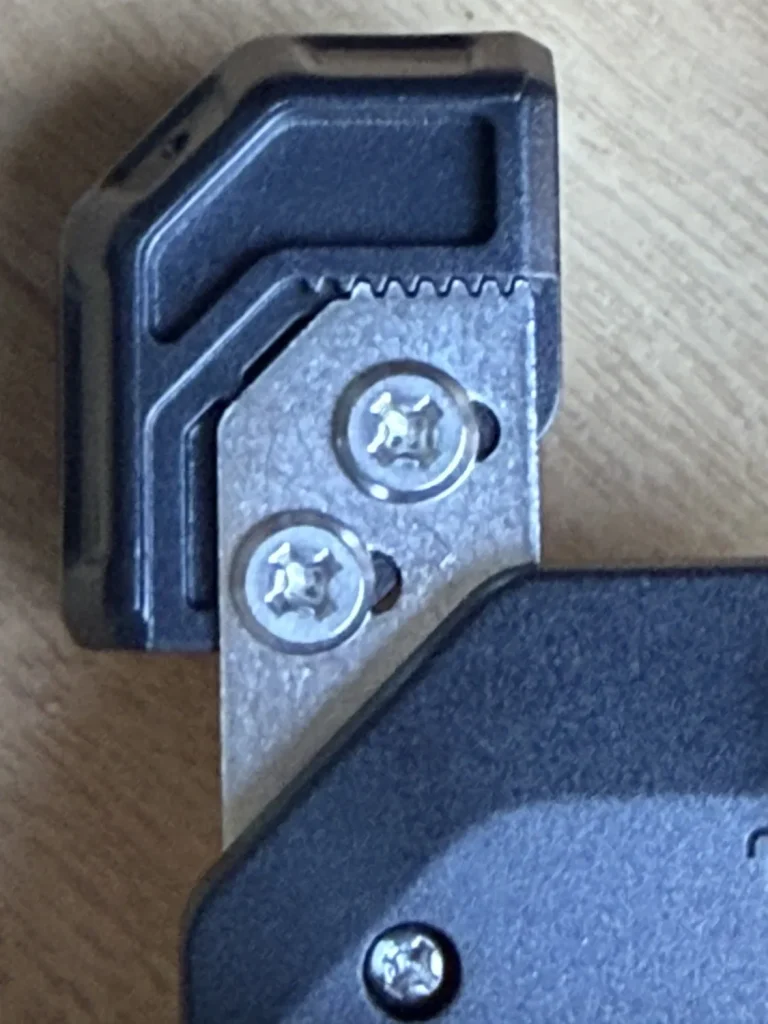
You can see that the bolt holes are horizontal slots.
Loosening these screws lets you slide the base of each arm left or right to fine-tune it to the width of your phone.
However, there is an important point to note about the design.
These slots only run horizontally. In other words, only the width can be adjusted; the length cannot be reduced.
[In practice] Adjusting the arms to the narrowest width, and cautions
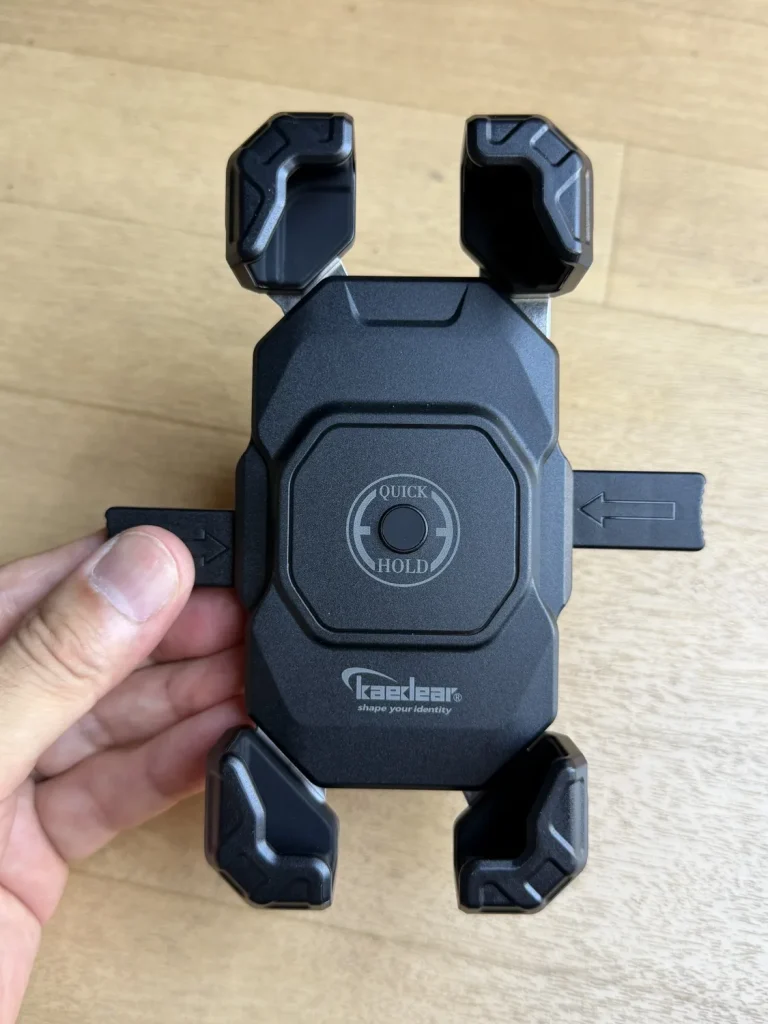
To fit a small phone, I moved the four corner arms as far in as they would go.
The job itself is simple: just loosen the screws on the back (two per arm, eight in all) with an ordinary Phillips screwdriver, slide the arms inwards, and tighten them again.
Cautions
- Don't overtighten the screwsThe holder body is plastic (as far as I remember, the screw holes are metal threaded inserts set into the body). If you force the small screws too tight, you could damage the threads. Tighten them evenly to a moderate torque, until you feel resistance.
- Watch for loose screws (and take care with threadlocker on plastic)A motorcycle is always vibrating slightly while you ride. These are the important screws that hold your phone, so check from time to time that they are tight. I applied a small amount of medium-strength threadlocker and tightened them again. However, ordinary (anaerobic) threadlocker can crack some types of plastic, so if you use it, use only a little and keep it off the plastic, or choose one that is safe for plastics.
[Test 1: iPhone 13 mini] Not without a case! The pitfall of sliding up and down
With the width at its narrowest, I fitted my iPhone 13 mini straight away.
Test without a case: it moves up and down!
I pushed the bare iPhone 13 mini (no case) against the central button and let the arms lock.
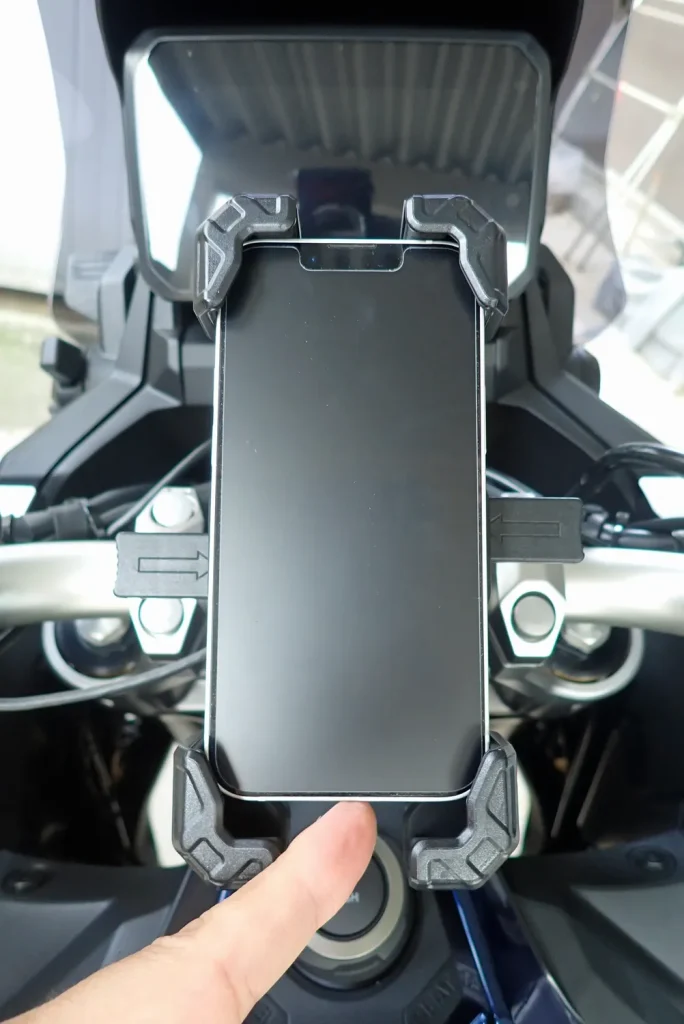
Narrowing the arms has reduced the side-to-side play. The claws on the four corners hook over the phone, so it can't jump forwards out of the holder and fall.
However, if you push it with your finger, it easily slides up and down.
Why does it move up and down? (The difference from the official size range)
There is a clear reason for this. I fitted the phone without checking beforehand, but comparing the maker's official compatible size range with the phone's dimensions shows the cause.
- Kaedear's official compatible phone size
- Length: 140mm - 177mm
- Width: 62mm - 94mm
- Thickness: 15 mm or less
- iPhone 13 mini dimensions (phone only)
- Length: 131.5 mm (8.5 mm short)
- Width: 64.2mm (within the range)
- Thickness: 7.65mm (within the range)
The width clears the 62 mm minimum, but the length is about 8.5 mm shorter than the 140 mm minimum.
As mentioned above, the holder can only be adjusted for width, so with a phone that is too short, the arms can't close in far enough top to bottom, and a gap is left lengthways.
Even if it doesn't fall, the risk of camera damage goes up
You might think "if it doesn't fall out, it's fine", but I don't recommend it.
If you ride with the phone loose up and down, engine vibration and bumps in the road make the phone move around inside the holder. The holder's Air Absorber (anti-vibration damper) can't do its job properly, and small shocks reach the optical image stabilisation (OIS) inside the phone, so I think the risk of breaking the camera's focusing goes up.
It's best not to use it without a case.
Testing again with a rugged hybrid case: held firmly!
So I fitted the iPhone 13 mini again, this time in a rugged hybrid case.
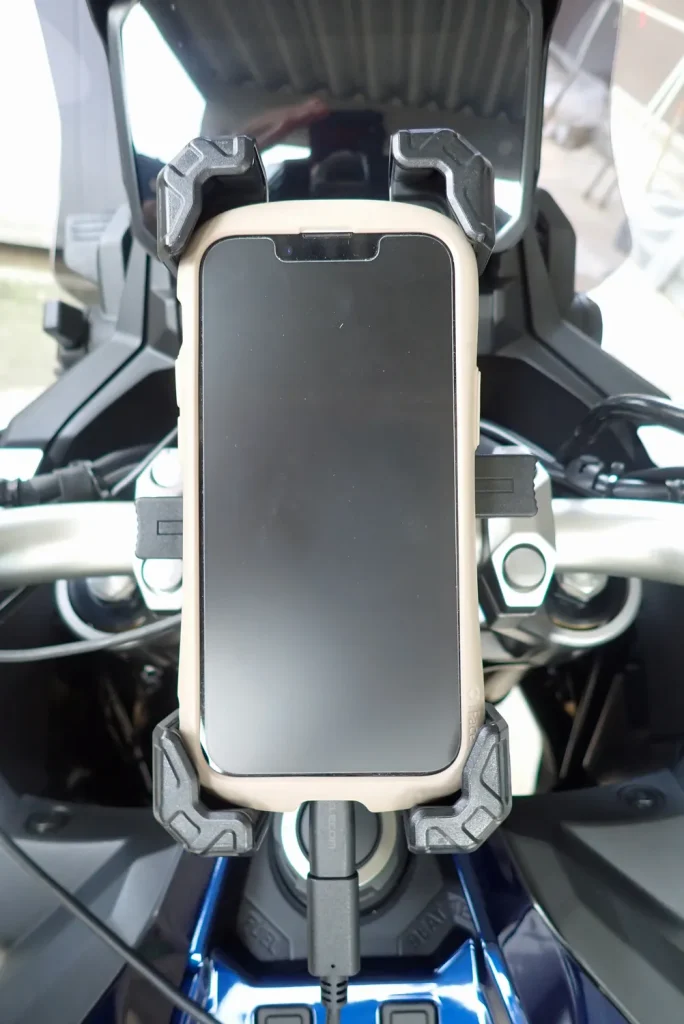
The case made the phone a size bigger in length and width, and thicker too.
As a result, the claws on the arms gripped the four corners firmly, and the play up and down and side to side disappeared.
If you use the KDR-M11CPJ with a small phone such as the iPhone 13 mini, you need a sturdy case that adds thickness and size.
[Test 2: iPhone 17 Pro] Held well with a case
Next, for comparison, I fitted an iPhone 17 Pro (in a case).
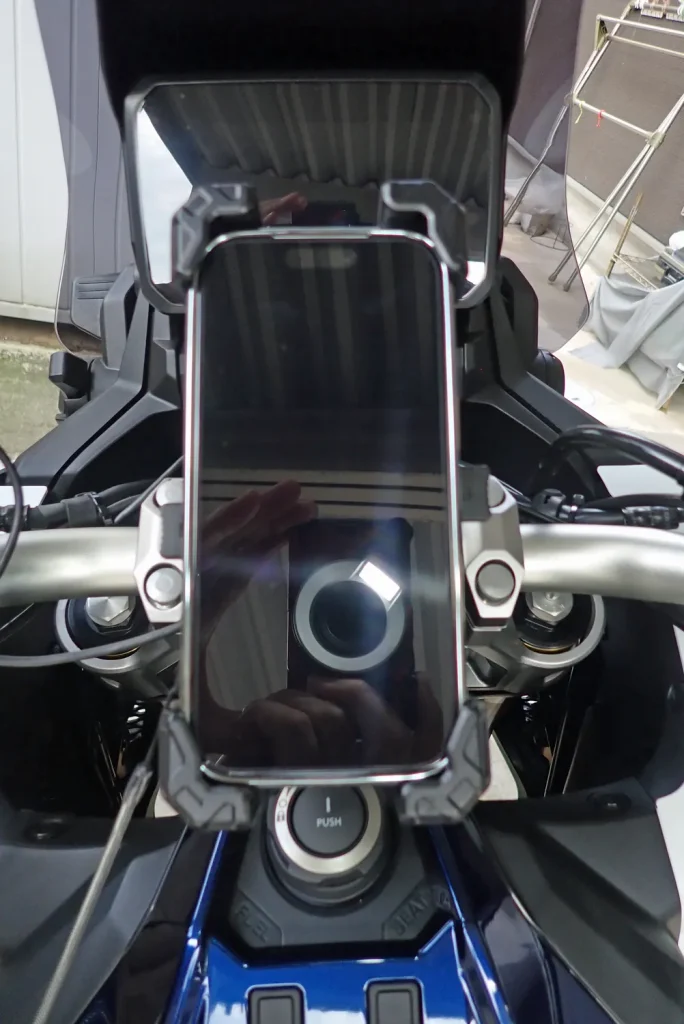
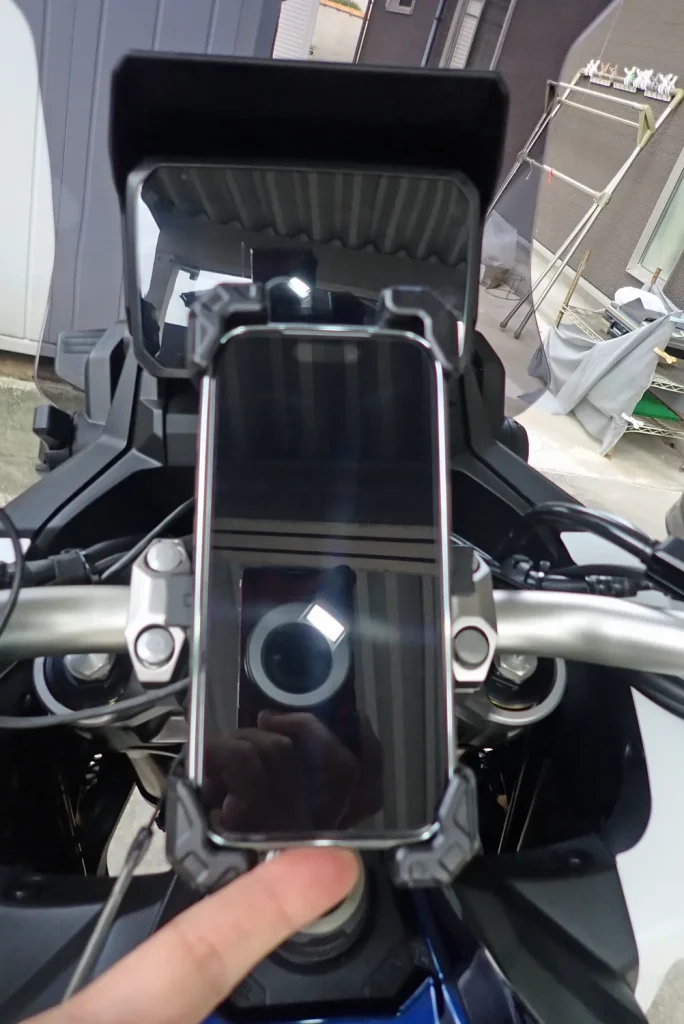
The iPhone 17 Pro easily meets the maker's size range for both length and width.
The moment I pushed it against the central button, the four arms closed in as if drawn to it and held it firmly in all directions. Even pushing hard with my finger, it hardly moved.
With a standard-size or larger phone, you can hold it firmly and get the full benefit of the damping without any special tricks.
Kaedear KDR-M11CPJ: summary of adjustment and fit
Here are the results of this fitting test.
| Item | iPhone 13 mini (no case) | iPhone 13 mini (rugged case) | iPhone 17 Pro (in case) |
| Width fit | OK (narrowed by adjustment) | OK | OK (default position) |
| Length fit | Not OK (8.5 mm short) | OK (larger outer size) | OK |
| Play up and down | Yes (slides easily) | None (held firmly) | None (held firmly) |
| Camera protection and safety | Risky (high risk of shocks) | Good (at your own risk) | Good (within the maker's range) |
| Overall | Not usable | Usable with a case | Fits |
Summary: if you use a small phone, check the outer size with your case
The Kaedear KDR-M11CPJ anti-vibration phone holder is an easy-to-use item that combines one-push fitting and Air dampers for a little over 3,000 yen.
However, take care with these points:
- The arm adjustment only changes the width (the length can't be reduced)
- The official minimum length is 140 mm (an iPhone mini on its own is 131.5 mm, below the minimum)
- A small phone without a case moves up and down, risking camera damage
- It becomes usable if you make up the size with a rugged case or similar
- Check the arm screws are tight from time to time (and take care with threadlocker on plastic)
If you use a compact phone such as an iPhone mini, always measure and check the size with a thick case fitted before buying.
If the conditions are right, you can protect your phone's camera and have a comfortable sat-nav set-up.
[The item in this post]
Kaedear Quick Hold II KDR-M11CPJ
A holder with the vibration-absorbing Air Absorber and an aluminium mount.
Disclaimer (doing this work at your own risk)
*Adjusting the arm positions as described in this post, and using a case so that a phone below the maker's recommended size can be fitted, are outside the maker's standard specification and at your own risk. This blog and its author accept no responsibility for stripped screws while working, a phone falling or breaking because bolts work loose while riding, camera faults caused by vibration, or anything similar. Before riding, always check that everything is tight and the phone is held firmly, and use it with a safety margin.