Hello everyone!
The Honda X-ADV is an incredibly popular adventure scooter in Europe and Japan. Because it is such a versatile machine—perfectly handling everything from daily city commutes to long-distance touring—there is one essential accessory you simply cannot do without: a smartphone holder.
However, the X-ADV comes equipped with tapered handlebars (fat bars) that are thicker in the center. If you have ever tried mounting a standard smartphone holder, you might have struggled with the clamping diameter. Plus, on a machine like this, you need a mount with rock-solid reliability that secures your phone tightly without blocking the view of the TFT display.
For my brand-new X-ADV, I chose the KDR-M11CPJ (Quick Hold & Mount System) from Kaedear, a high-quality Japanese motorcycle gadget brand.
To give you the bottom line: it fits so beautifully into the center of the cockpit that it feels like it was custom-made specifically for the X-ADV!
In this post, I will guide you through the quick installation steps and give you a thorough review of its real-world visibility, backed by plenty of photos. If you want to clean up your bike's cockpit and make it look sharp, keep scrolling!
Why I Chose the Kaedear "KDR-M11CPJ" for the X-ADV: 3 Decisive Reasons
Out of the countless smartphone holders available on the market, here are the deciding factors that led me to this specific model:
- Reason 1: It is fully compatible with 28.6mm (1-1/8") tapered handlebars right out of the box.
- Reason 2: The "Quick Hold Mechanism" locks the phone instantly with just one hand for ultimate convenience.
- Reason 3: The machined aluminum mount and rigid ball joint ensure zero vibration, even at highway speeds.
The biggest selling point is the heavy-duty metal mount specification, which completely eliminates any anxiety about your phone dropping off.
(Note: You can also find my comparison of other top-selling smartphone holders via the link below.)
[Unboxing Review] Checking the Components and X-ADV Compatibility
Let’s open up the package and look at what is included.
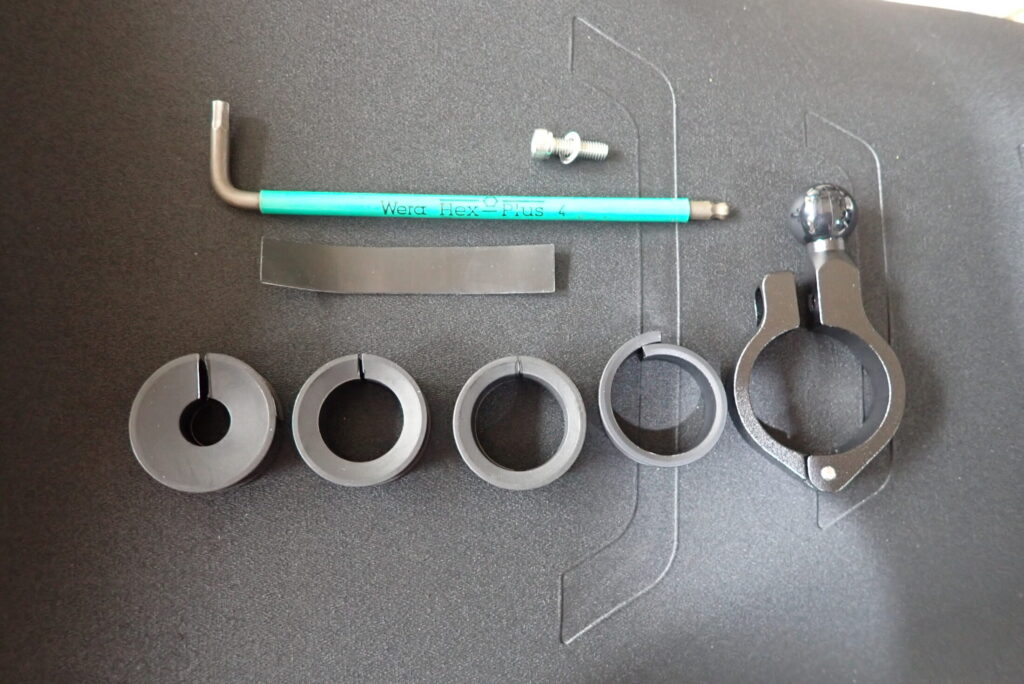
[Unboxing the Kaedear KDR-M11CPJ package showing the smartphone holder and various rubber spacers]
The Kaedear kit comes generously supplied with multiple rubber spacers to accommodate various handlebar diameters (12.00mm, 22.0mm, 25.4mm, and 28.6mm). Thanks to this, it fits the X-ADV’s 28.6mm tapered center section like a glove without requiring you to purchase any additional adapters.
[Installation Guide] Step-by-Step DIY Setup on the X-ADV
Here is the step-by-step installation process. You only need a single 4mm hex key (Allen wrench), and the entire job takes less than 5 minutes.
Step 1: Place the Protective Rubber Spacer on the Center of the Bar
Position the included rubber spacer directly around the center of the handlebar, right above the X-ADV's smart key main switch.
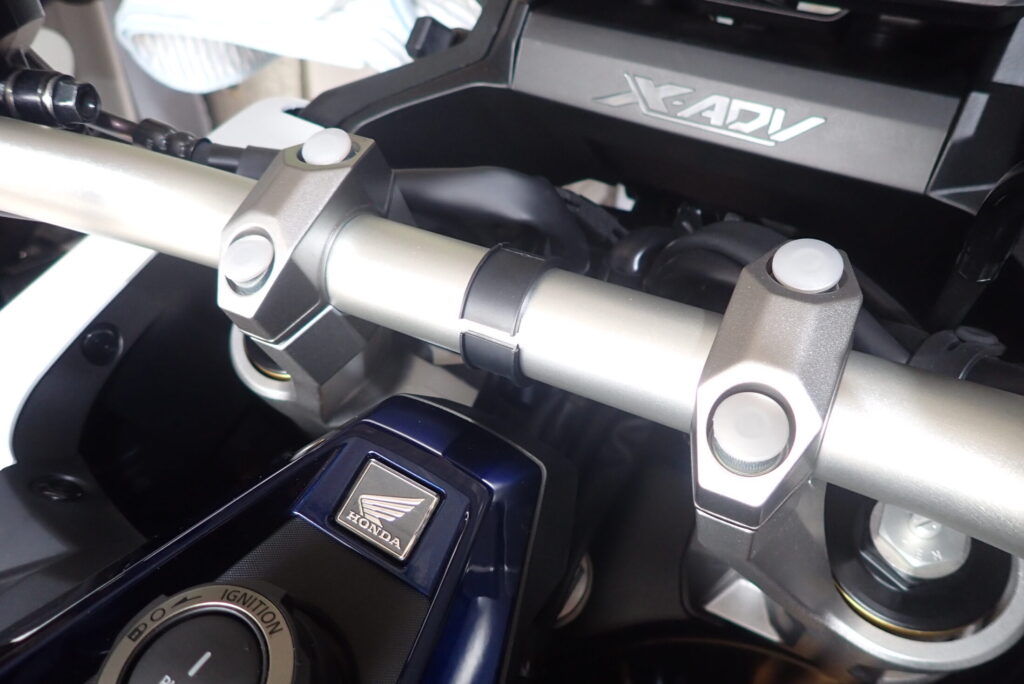
[Placing the rubber spacer onto the exact center of the X-ADV tapered handlebar]
Mounting it in this central position minimizes eye movement when checking your navigation screen while riding.
Step 2: Secure the Aluminum Ball Mount
Place the aluminum ball mount over the rubber spacer you just positioned, and tighten down the bolts.
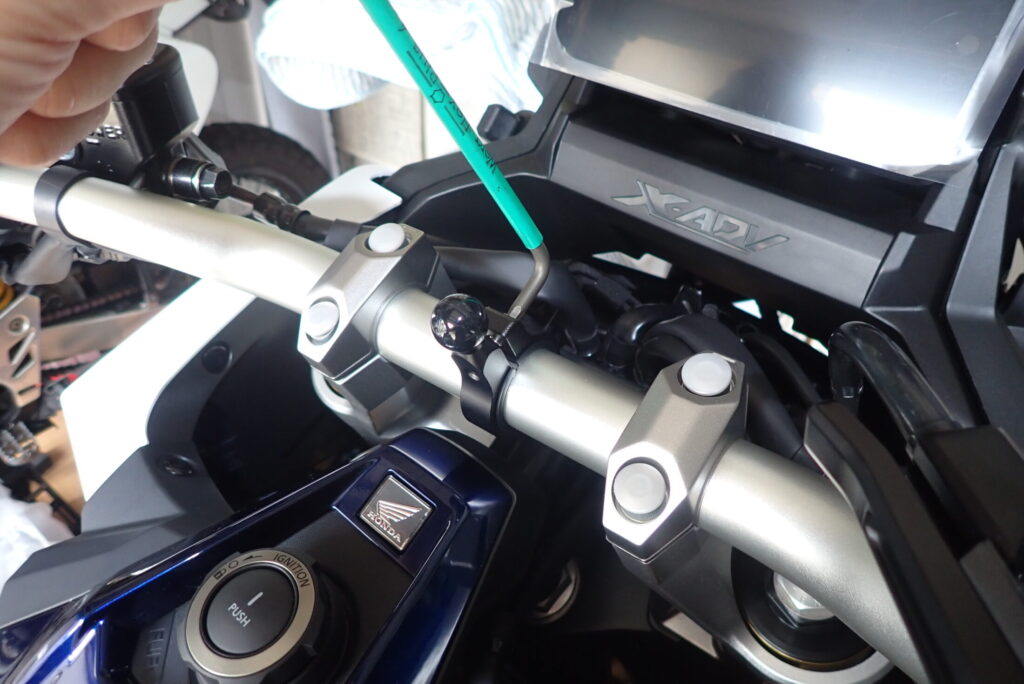
[Tightening the bolts on the aluminum ball mount using a 4mm hex key]
Kaedear’s mount is highly engineered from precision CNC-machined aluminum. It clamps down rock-solid onto the handlebar with minimal effort.
Step 3: Prepare the Holder’s Ball Joint Nut
Remove the plastic locking nut (hand knob) from the back of the smartphone holder body and slide it onto the ball mount side first.
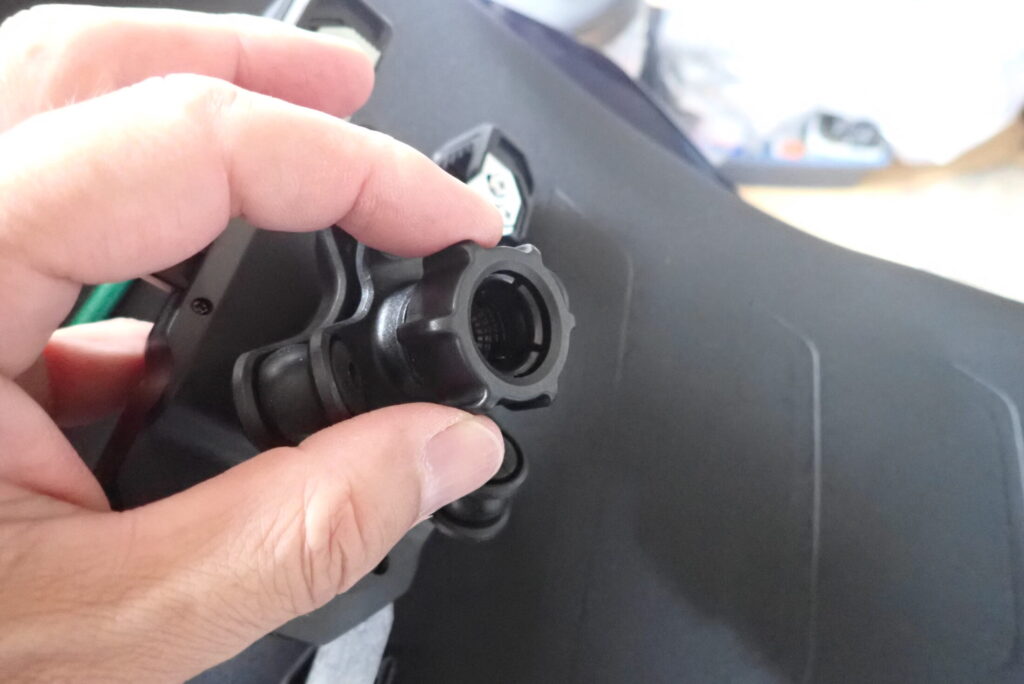
[Removing the rear locking nut from the holder and sliding it over the ball mount]
Removing this knob beforehand ensures that you can snap the joint ball into the socket smoothly.
Step 4: Snap the Ball Joint Together and Adjust the Angle
Press the socket on the back of the holder firmly onto the mount's ball until it snaps into place. (Note: The hand knob should be resting on the mount arm). Tip: This snap-fit requires a bit of force.
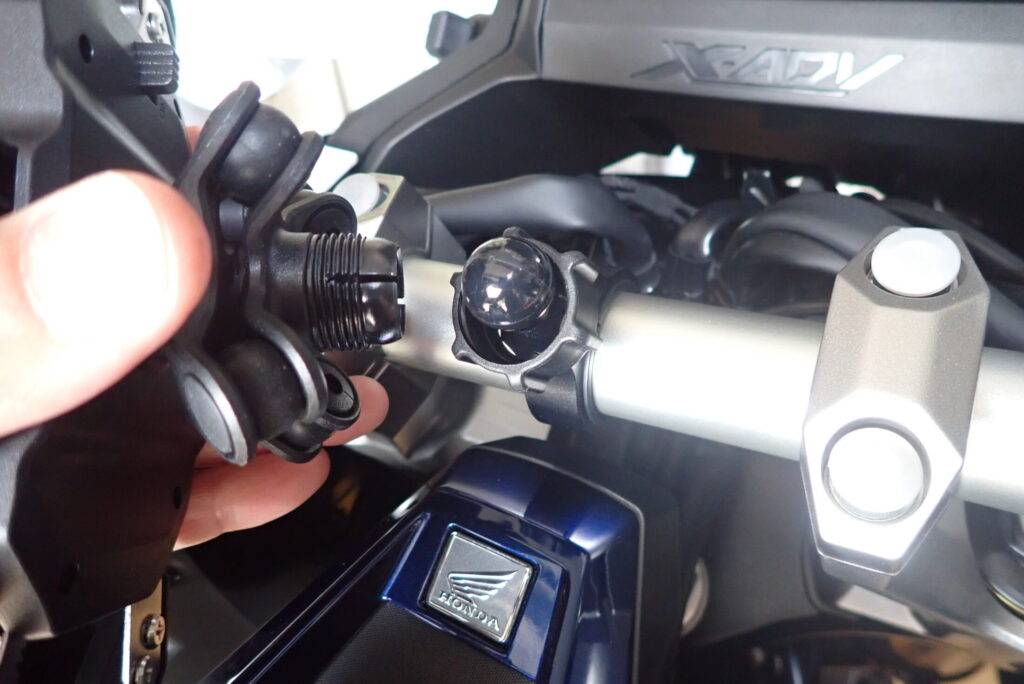
[Snapping the holder body onto the ball joint mount and adjusting the viewing angle]
Thanks to the ball-joint mechanism, you can seamlessly adjust the phone 360 degrees to find your perfect angle. Once you find the position that offers the best visibility from your riding posture, tighten down the rear locking knob firmly to secure it.
[Initial Review] A Flawless Cockpit with Perfect TFT Display Integration
Here is how the X-ADV cockpit looks with the installation complete!
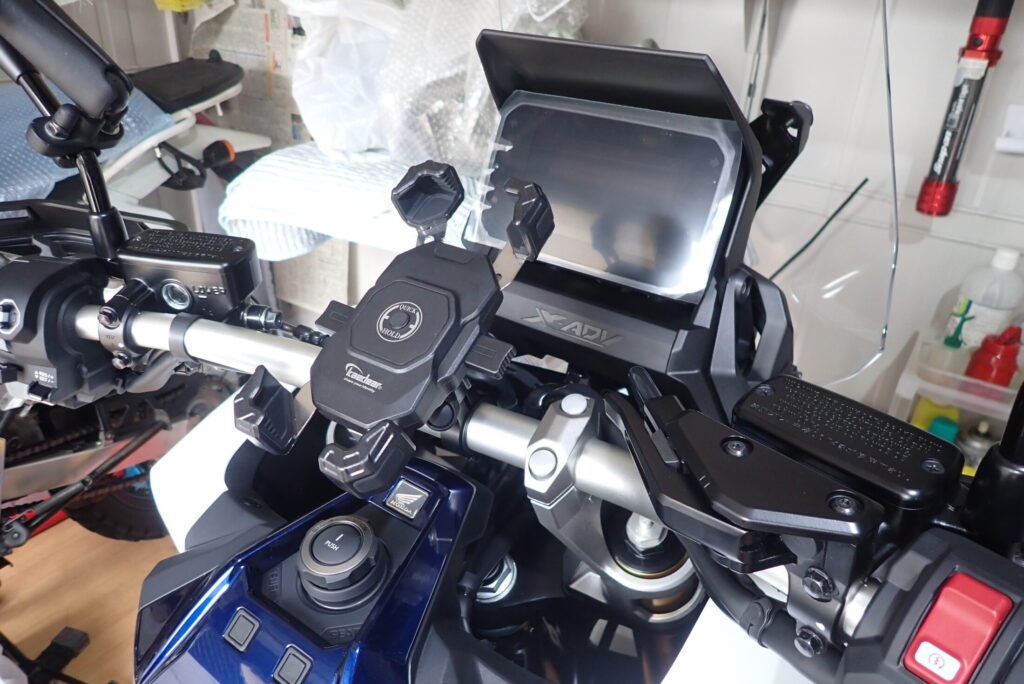
[Front view of the completed installation showing the Kaedear holder sitting perfectly centered in the cockpit]
It sits beautifully in the dead center, looking like a factory-installed OEM optional part. Because it is positioned exactly between the handlebar clamps, the left-to-right weight balance is absolutely perfect.
Mounting the Smartphone: Incredible Hold and Visibility
Let's test it out with a smartphone. Simply press your phone against the button in the center of the holder, and the four corners instantly snap shut with a satisfying click, locking the device securely.
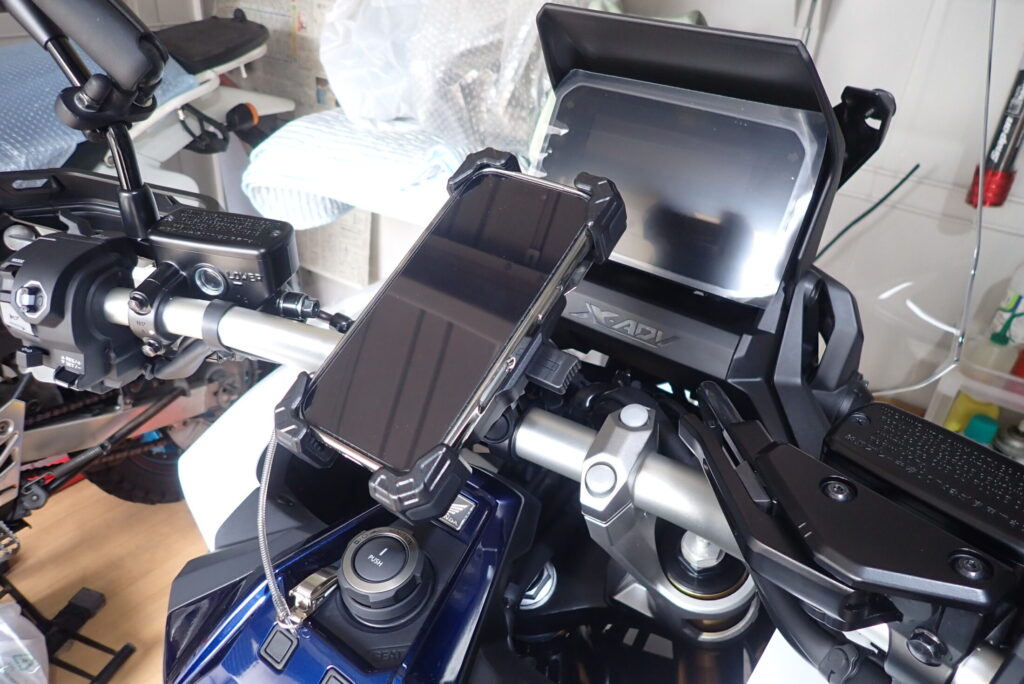
[Smartphone mounted in the holder showing the clear view of both the phone screen and the bike's TFT display]
As you can see, it secures the navigation screen in an ideal line of sight without blocking the view of the X-ADV's advanced 5-inch TFT full-color display.
The photo below shows the exact line of sight from the rider's perspective (Rider height: 167 cm / 5'6").
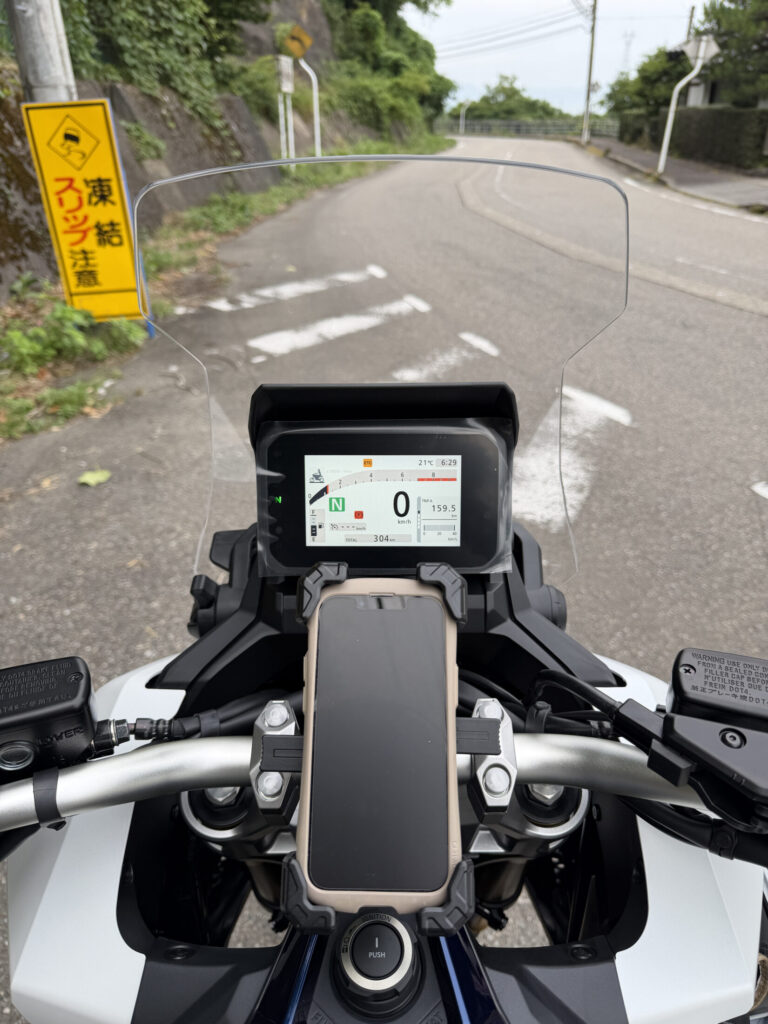
[Rider's point-of-view shot demonstrating zero interference with the 5-inch TFT display]
The phone screen is completely visible without overlapping the digital meter. Furthermore, it causes absolutely zero interference when operating the smart key switch or accessing the fuel tank opening buttons. This is undeniably the optimal mounting solution for a smartphone holder on the X-ADV!
Recommended Gear & Tools Used for This Job
Here are the items and tools utilized during this installation:
1. Kaedear Quick Hold Smartphone Holder
This is the exact holder mounted on my X-ADV today. It comes with the necessary rubber spacers, allowing immediate installation on tapered handlebars without any modifications.
2. Wera Hex-Plus L-Key Set
This is the premium German tool brand favored by professional mechanics worldwide (and used in my photos). Their unique "Hex-Plus" design prevents stripping the bolt heads by ensuring surface contact rather than corner pressure, allowing you to torque down bolts securely. Considering the nightmare of a stripped bolt on a brand-new bike, this is a highly cost-effective investment.
Conclusion: The Kaedear System is a Highly Recommended Upgrade for X-ADV Owners Worldwide!
That wraps up my installation review of the Kaedear "KDR-M11CPJ" smartphone holder on the Honda X-ADV.
- Perfect fit on 28.6mm tapered handlebars with a single spacer.
- Achieves the best visibility position without blocking the TFT display.
- Incredible 1-second, one-handed mounting convenience.
Whether you are touring locally, cruising down high-speed European highways, or navigating bumpy cobblestone city streets, the rigidity of this setup ensures zero risk of your phone dropping off.
If you want to upgrade the sophisticated cockpit of your X-ADV to be more convenient and stylish, you should definitely try out this Kaedear system. I recommend it with absolute confidence!
Ride safe, and enjoy the ultimate motorcycle life!