A rear-facing motorcycle dashcam is an absolute necessity for modern riders—providing vital, undeniable video evidence against aggressive tailgaters, rear-end collisions, and reckless cut-ins.
However, when outfitting a Honda X-ADV (2026 Model / Chassis: RH21) with the market-leading Daytona Mio MiVue M820WD system, garage mechanics run into the exact same dilemmas faced up front: where to anchor the rear camera securely and how to route the harness without hacking into factory bodywork.
- "I refuse to drill permanent holes into expensive OEM rear plastics..."
- "Double-sided foam tape makes me nervous—vibration, road wash, and summer heat will eventually cause the camera to drop off..."
- "Where around the license plate can I mount the lens to shield it from exhaust heat, soot, and road spray?"
Here is the bottom line: by selecting the PLOT Top-Left License Plate Camera Bracket (Part No. DRS001) and executing a clean, sub-surface routing technique, you achieve a rock-solid, vibration-proof, and factory-clean rear camera install with zero visible body modifications.
Below is a complete, step-by-step DIY guide detailing every mechanical insight and wiring nuance to get the job done right on your X-ADV!
1. The Real-World Dilemma: Rear Camera Placement on the X-ADV
With its sharp rally-raid lines and independent rear fender design, the Honda X-ADV features an athletic, functional tail section.
Mounting a rear camera with generic stick-on pads or universal brackets introduces significant compromises:
| Mounting Location | Pros | Risks & Pitfalls on the X-ADV |
| Direct Fairing Stick-On (Adhesive Tape) | Quick and simple setup | Engine vibration, tire spray, and UV heat degrade adhesives rapidly, creating a high drop-off risk. |
| Drilling Rear Plastics (Bolt-On) | Maximum mechanical retention | Drilling factory panels permanently damages resale value and introduces water leaks into subframe channels. |
| Top-Right License Plate Mount | Easy plate bolt-on | Positioned directly above the right-side exhaust muffler; hot exhaust gas, soot, and mud spray constantly coat the lens. |
| Top-Left License Plate Mount (Recommended) | Zero visible mods, high rigidity, zero exhaust interference | Positions the lens on the opposite side of the muffler, completely avoiding exhaust heat and soot while securing a crystal-clear rearward field of view. |
To preserve your motorcycle's value while keeping your footage spotless, sandwiching a dedicated steel bracket into the top-left license plate mount is the premier mechanical approach.
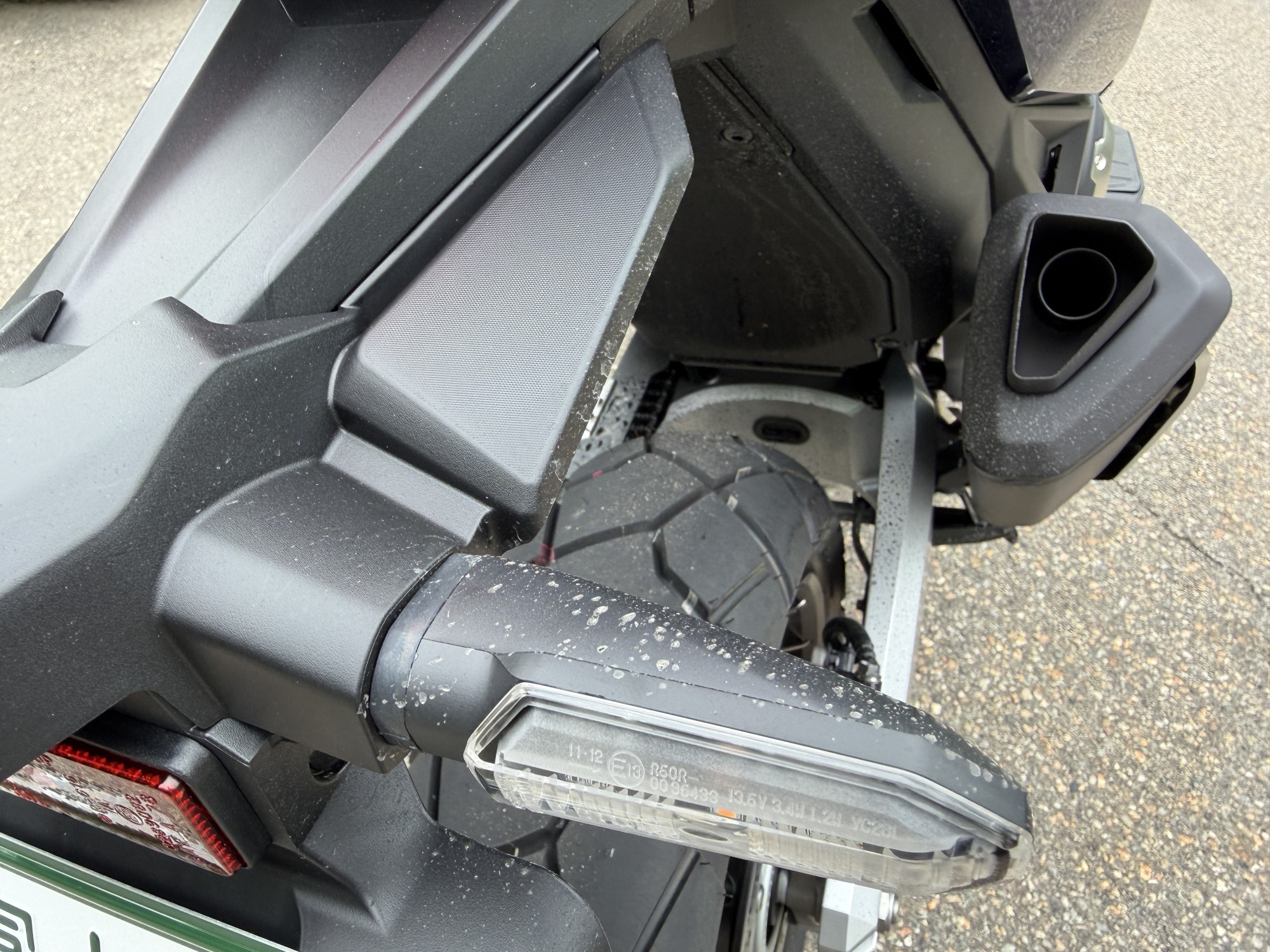
(For detailed photo documentation of where the X-ADV collects road spray on wet tarmac, check out my analysis:
-
-
Honda X-ADV Mud Splatter Analysis: Wet Road Spray & Protection Guide
Hello everyone! When touring on a motorcycle, you will occasionally encounter situations where the sky is perfectly clear, but the road surface is damp or wet. Typical examples include shaded mountain passes or long tunnels where mountain spring water seeps onto the tarmac. You might think, "It's not raining, so the bike won't get dirty." If you cruise through thinking that, you are in for a massive shock when you check your machine at your next destination. True to its rugged adventure styling, the Honda X-ADV flings up mud and water from its front and rear tires in an incredibly ...
2. Why the PLOT Top-Left Bracket (DRS001) is the Superior Choice
To mount the rear camera lens securely, I chose the PLOT Dashcam Camera Bracket - Top-Left License Mount (Part No. DRS001) from one of Japan’s premier motorcycle hardware manufacturers.
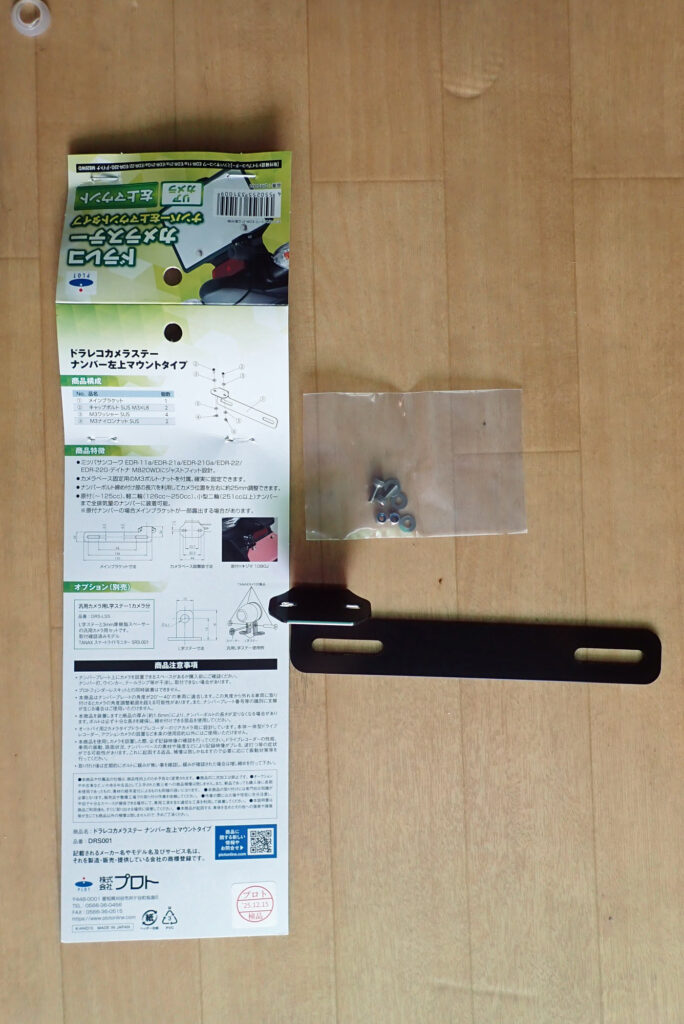
4 Mechanical Advantages of the PLOT DRS001:
- Top-Left Placement Evades Exhaust Heat & Soot: The X-ADV exhaust canister exits on the right side of the machine. Mounting the camera on the upper-right corner exposes the sensor to hot exhaust gas, coating the optics in carbon soot and pulverized road spray. Moving the lens to the top-left isolates it completely from exhaust wash.
- Heavy-Gauge Steel with Zero Flex: Unlike flimsy, stamped aluminum brackets that vibrate violently at highway speeds, the PLOT unit is laser-cut from heavy-gauge steel finished in a corrosion-resistant black cationic electrodeposition coating. It won't budge even under heavy finger pressure, banishing video-ruining high-frequency vibrations.
- Included M3 Nylon Lock Nuts (No Liquid Threadlocker Needed): The kit includes stainless steel bolts paired with nylon-insert lock nuts (Nyloc nuts) for the camera cradle. The nylon ring bites into the threads to eliminate vibration loosening permanently without messy threadlocker.
- 25mm Lateral Adjustment Slot: The slotted license mounting hole allows approximately 25 mm of lateral adjustment, making it easy to center the lens cleanly while clearing license plate illumination lights and reflectors.
3. Step-by-Step Installation & Pro Wiring Techniques
Follow these mechanical steps to mount the bracket and route the harness cleanly without pinching or slicing wires.
Step 1: Remove the License Plate
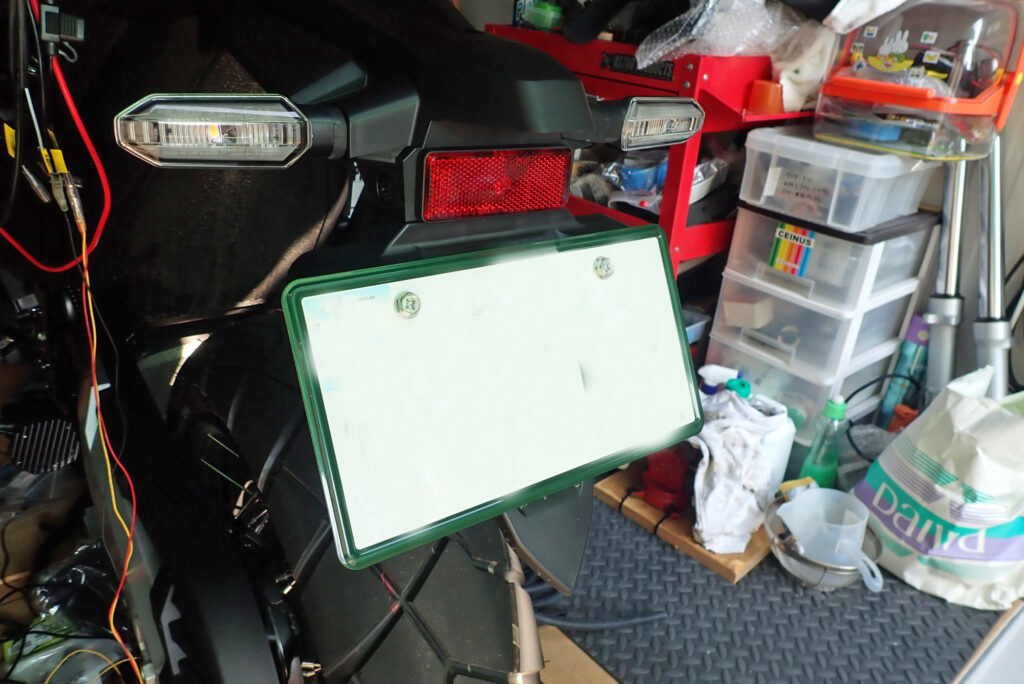
- Remove the fasteners: Back out the two M6 bolts securing the rear license plate and remove the plate.
- Clean the surface: Wipe away road grit and sand accumulated across the fender mounting boss using a shop rag and quick detailer.
Step 2: Assemble the Bracket & Bolt to the License Perch
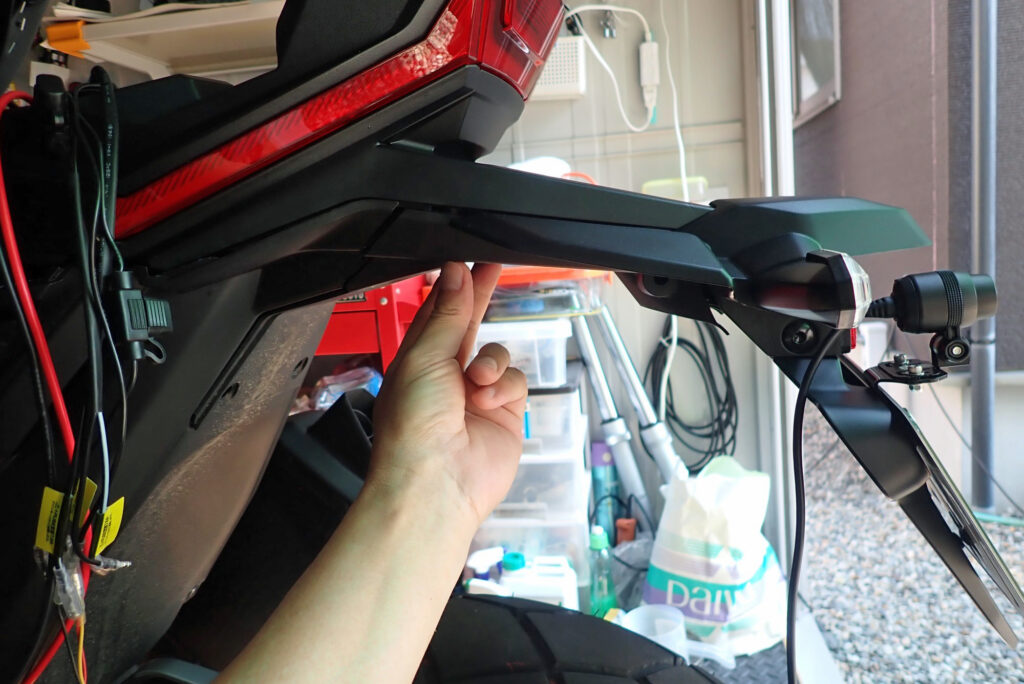
- Assemble the camera cradle: Fasten the Daytona M820WD rear camera cradle onto the PLOT bracket arm using the included M3 hardware and nylon lock nuts. Tighten down securely with a hex key and wrench.
- Sandwich the bracket: Position the bracket behind the top-left corner of the license plate, thread the M6 plate bolt through both, and snug it down to the fender base.
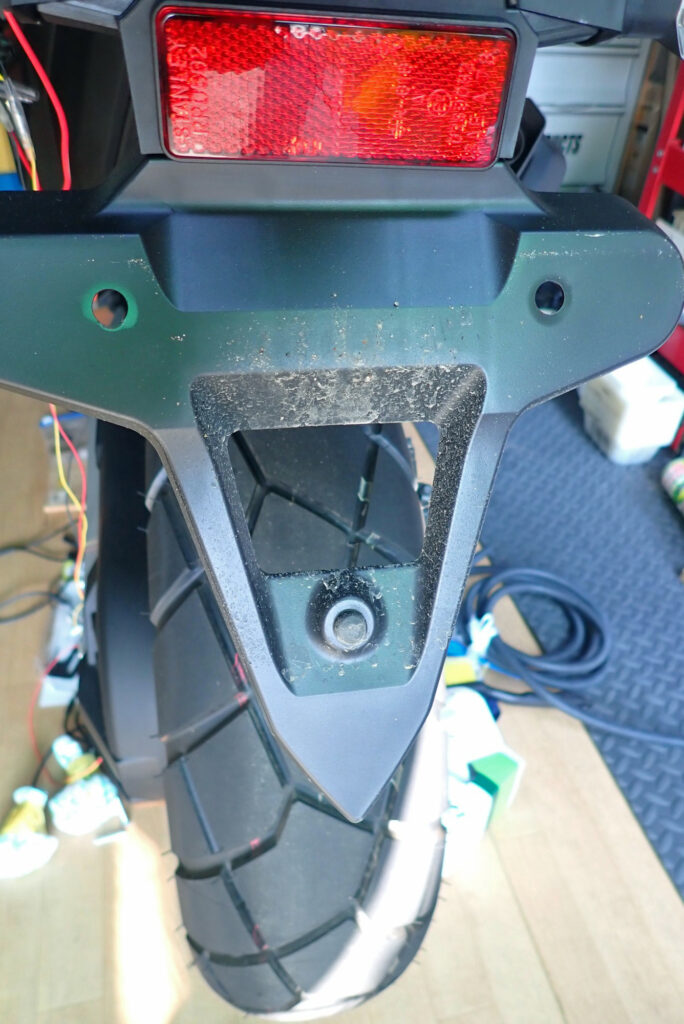
Step 3: Under-Fender Routing (The Anti-Pinch Trick)
Routing the camera lead straight behind the plastic fender can pinch the harness between the body panels, risking a severed wire. Use this trick instead:
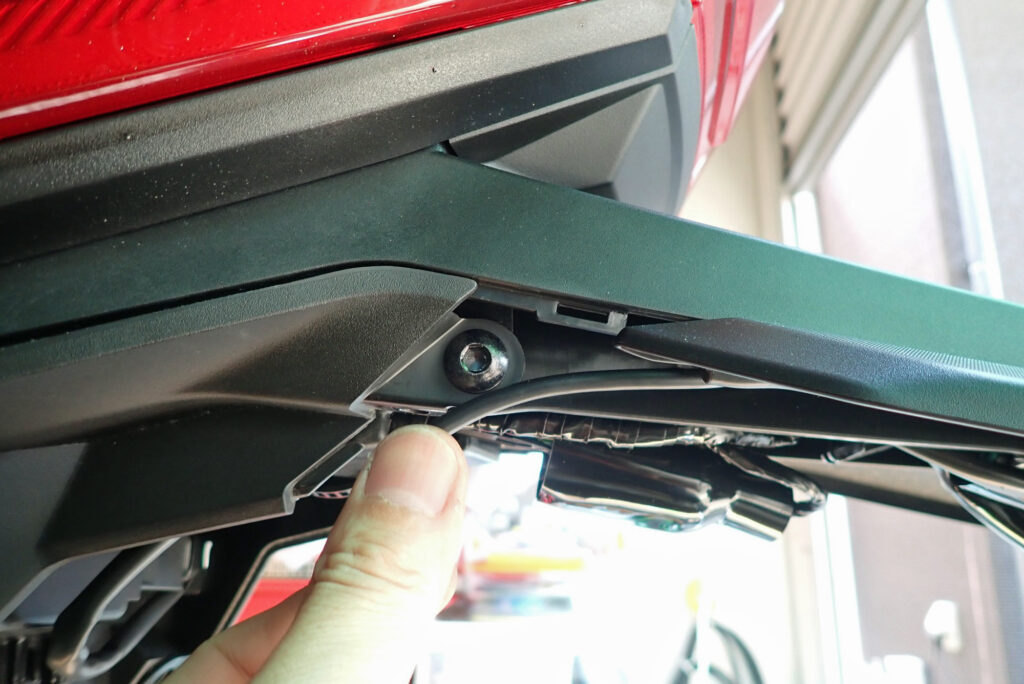
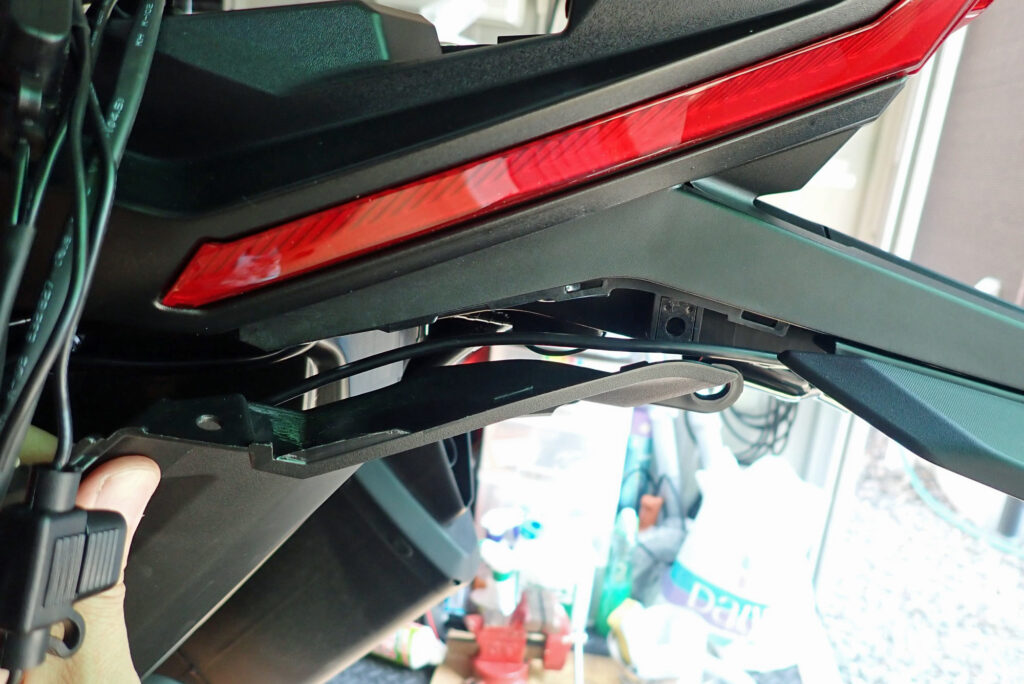
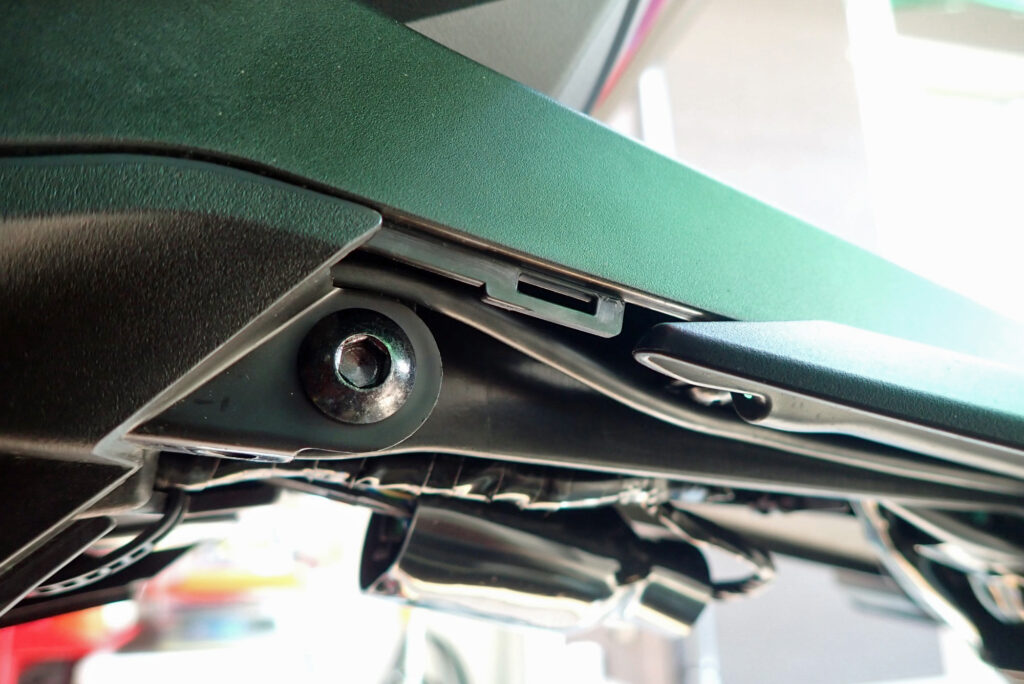
- Back out the center screw located beneath the inner fender profile.
- Route the camera cable through the resulting gap, seating the wire safely along the upper side of the screw boss.
- Reinstall and torque down the center screw. The harness is now securely guided into the subframe without being pinched or crushed by the plastic panels.
Step 4: Minimal Sub-Surface Notch on the Inner Cover
To route the wire up into the under-seat bay without cutting into painted exterior bodywork, modify only the hidden black inner resin cover:
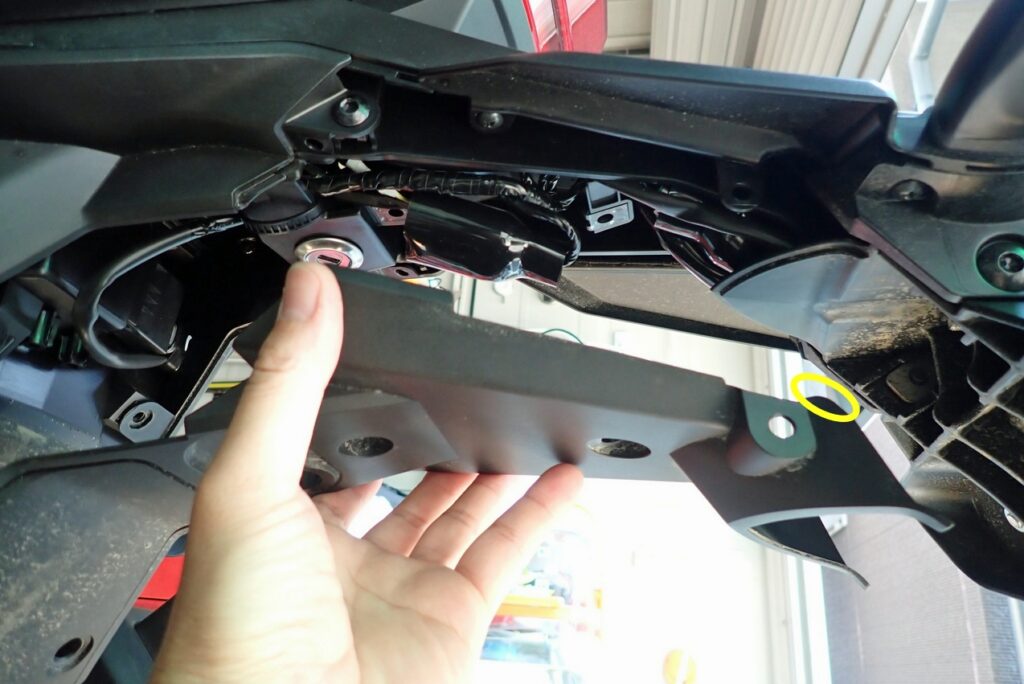
- Using a sharp utility knife, slice a tiny relief notch—just wide enough for a single cable—into the edge of the unpainted inner resin cover (highlighted by the yellow circle).
- Deburr and radius the edges of the cut using a fine needle file. Smoothing the edges ensures road vibration will not chafe or abrade the cable shielding over time.
Step 5: Connect the 1.8m Extension Harness & Final Audit
The Daytona M820WD kit comes packaged with an included 1.8-meter extension cable. Connect this extension harness to the rear camera lead and run it forward straight into the under-seat luggage compartment. The 1.8m length reaches the seat bay with plenty of slack to spare.
Reinstall all removed fasteners, switch the ignition ON, and check your live video feed via the smartphone app:
- Confirm the horizon is level.
- Verify that the license plate and exhaust tip do not intrude on the field of view.
- Ensure the wide-angle perspective captures trailing traffic cleanly.
Mechanic's Advice on Hardware Management: Working around the rear fender involves disassembling several clips, collars, and stepped bolts. Never stretch this job across multiple days—you will inevitably forget bolt locations and assembly order. Reserve a solid, uninterrupted 2-to-3-hour workshop window and see it through in one session!
4. Pros & Cons (Hands-On Workshop Audit)
What Works:
- Zero Visible Fairing Cuts: Keeps external painted bodywork 100% factory original, preserving your machine’s pristine look and resale value.
- Complete Exhaust Heat & Soot Isolation: The top-left mount protects the optical lens from hot exhaust gases and soot deposits.
- Rock-Solid Rigidity: Heavy-gauge steel construction eliminates image flutter and camera shake at high speeds.
- Vibration-Proof Hardware: Stainless nylon-insert lock nuts eliminate the risk of hardware backing out on rough roads.
- Ample Cable Length: Daytona’s included 1.8m extension harness routes seamlessly from the plate to the under-seat bay with zero wire tension.
Things to Keep in Mind:
- Minor Notch on Hidden Inner Plastic: Requires a small razor notch on an unpainted, concealed inner cover (invisible once reassembled).
- Hardware Sorting Recommended: Multiple screws and grommets are removed during disassembly; keep a magnetic parts tray nearby to keep fasteners organized.
5. Conclusion: Clean Execution Preserves the Adventure Aesthetic
Installing a motorcycle dashcam requires equal attention to bracket selection and concealed cable routing to achieve factory-level durability and aesthetics.
This Upgrade is Ideal For:
- Honda X-ADV owners (Chassis: RH21 / RH10 / RC95).
- Riders who refuse to drill painted bodywork or trust double-sided foam tape.
- Riders looking to shield rear optics from exhaust heat, soot, and road sludge.
- DIY mechanics who want vibration-free, stable rearward video recording.
Equip your machine with the PLOT DRS001 bracket, route your wiring with care, and enjoy the peace of mind that comes with complete rearward surveillance on your tours!
6. Disclaimer
The installation procedures and parts pairings documented here reflect work performed on the author's personal 2026 Honda X-ADV (Chassis: RH21).
Motorcycle electrical modifications and body disassembly directly impact road safety. Always work in a secure environment and proceed at your own risk. Fasteners on license mounts and chassis covers must be torqued down securely and inspected regularly during routine maintenance. Comply strictly with local vehicle safety standards regarding license plate visibility and lighting angles. If you are not confident in your mechanical ability, consult a certified motorcycle service center.
Ride safe, and enjoy the ultimate motorcycle life!